How to resolve Citrix ADC HA pair issue with remote node change from UP to DOWN state
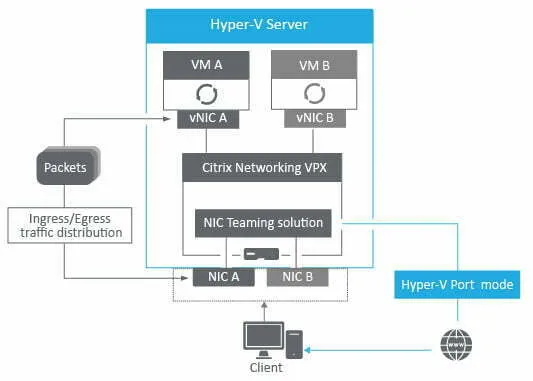
In Citrix ADC HA pair (2 nodes), the primary node shows the following error in the system log. This behavior is observed with Citrix ADC VPX running on Hyper-V.
[DATE TIME] Remote node [IP ADDRESS]: UP -> DOWNYou may also see the following error in the system log:
No HA heartbeats (Last received: [DATE TIME]; Missed 15 heartbeats)Solution
Section titled “Solution”You will need to re-configure the Hyper-V load balancing mode from Dynamic or Address Hash to HyperV Port mode. In Hyper-V environments with Citrix ADC VPX virtual machines in HA mode, Citrix recommends the HyperV port L/B mode, as discussed in detail in the following article: https://support.citrix.com/article/CTX224494.
Carry out the following steps in your Hyper-V cluster:
- Drain Hyper-V Host (maintenance mode)
- Stop the Cluster Service with Powershell: Stop-Service Clussvc
- Configure Load Balancing in with Powershell: Set-NetLbfoTeam –Name “[TEAM NAME]” –LoadBalancingAlgorithm HyperVPort
- Start the Cluster Service with Powershell: Start-Service Clussvc